
How to Install and Activate Tourfic Ultimate Travel & Hotel Divi Child Theme #
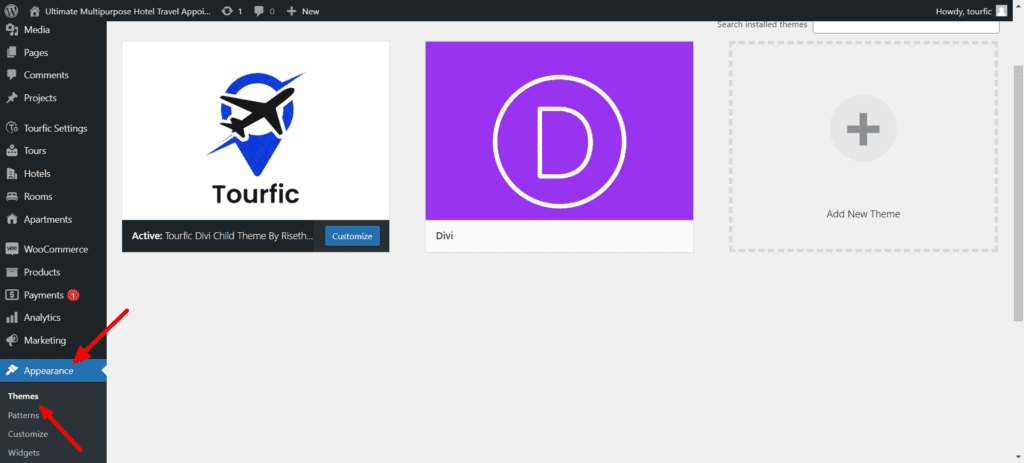
Step 1: Install Tourfi Ultimate Travel Divi Child Theme: Go to WordPress Dashboard
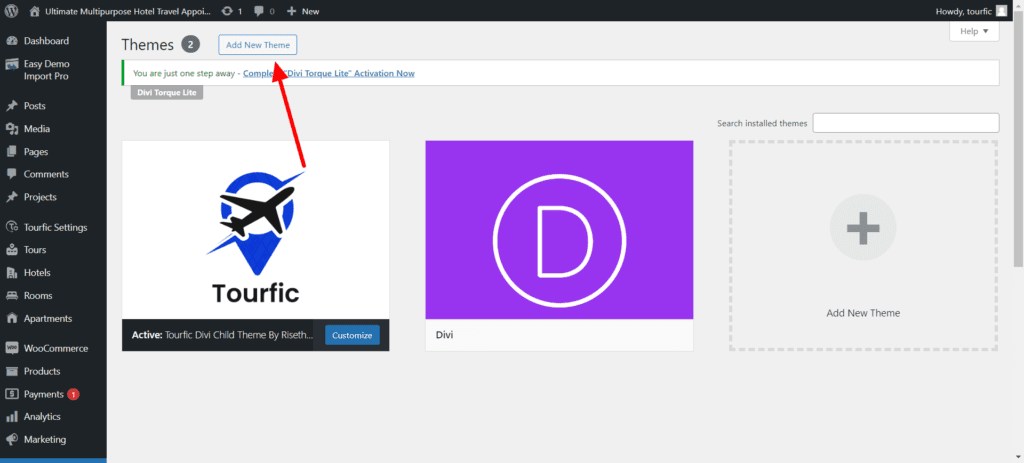
Step 2: Upload Tourfi Ultimate Travel Divi Child Theme
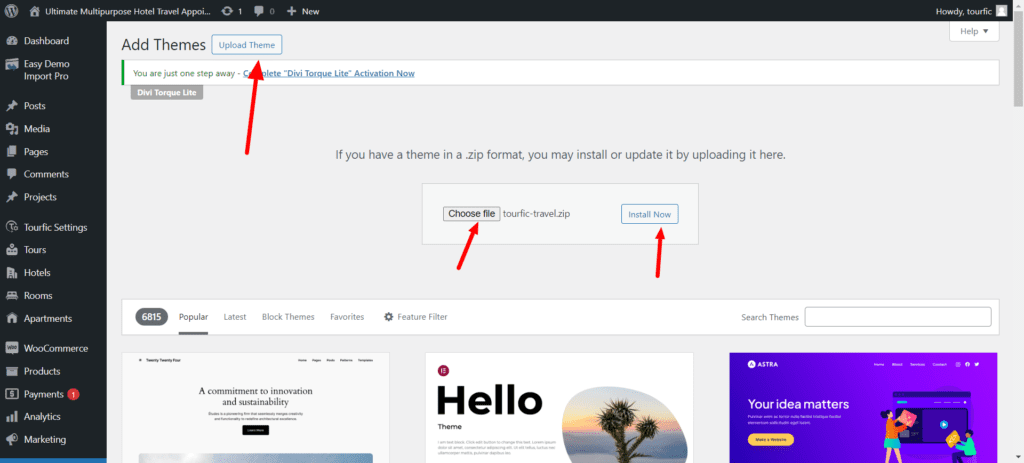
Step 3: Activate Tourfi Ultimate Travel Divi Child Theme
Importing Demo Content #
After Installing the Tourfic Travel theme on your site, you'll see a new Menu Item Called " Tourfic-Travel " in your WordPress admin click on it.
And then, on this page, you'll see all the Tourfic Travel Options. You can uncheck things If you don't want to import something. But if installing on a Fresh Website, ensure all the options are checked and then hit the "Import Demo Content" button.

The Import process could take some time here, depending on your internet connection, so you don’t need to worry about that.
After the Import is complete, you’ll see a message like this. You can hit "Remove Demo Content & Import Functions" to remove the Import function from your site since it's not needed anymore.
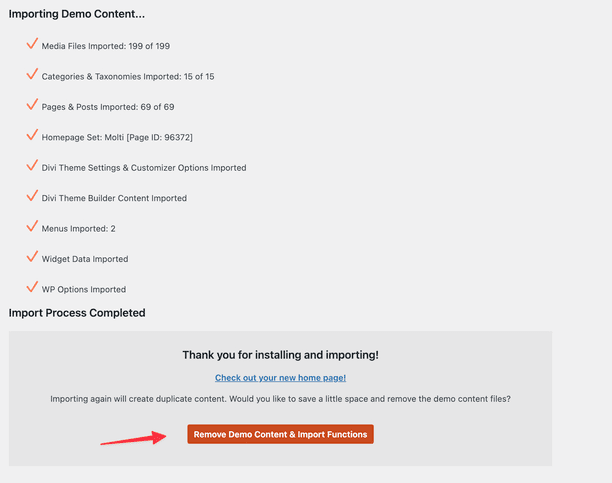
And that’s it. That’s how easy It was to Import the Tourfic travel Content with this all-new Demo Content Importer.
If you’re facing any issues with the Import Process, Please Send Us a Message & we’ll try our best to help you.
Setting Up Tourfic Plugin Settings #
After your theme is installed successfully let's set Tourfic Plugin Settings, Follow the below image steps
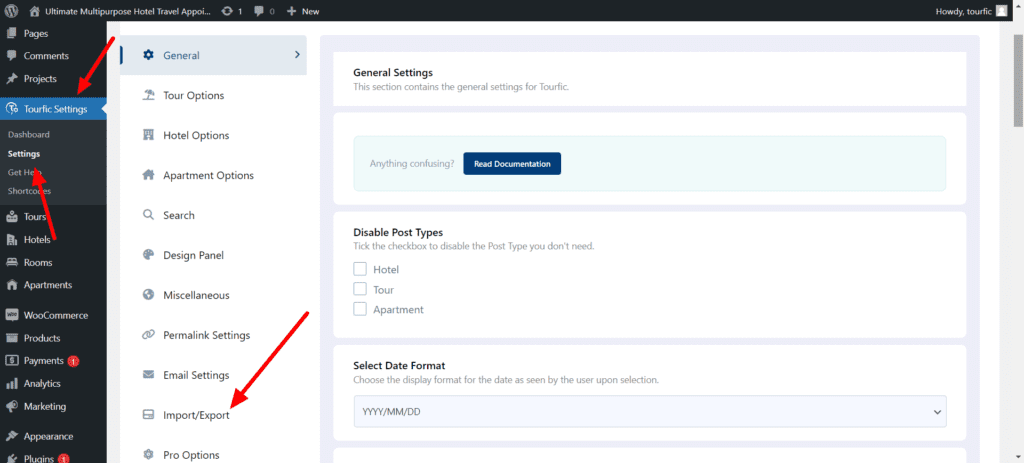
Step 1 ; WordPress Dashboard > Tourfic Settings > Settings > Choose Import/Export from the Sidebar Menu
Step 2; Download the Supplementary File from your Elegantthemes Marketplace Dashboard, Unzip the file you downloaded from the Dashboard
you can get this file name " tf-settings-export " in your Folder open this file in VSCode or any other Code Editor Copy that code & Paste it into Tourfic Settings > Settings > Choose Import/Export from the Sidebar Menu
follow the attached image
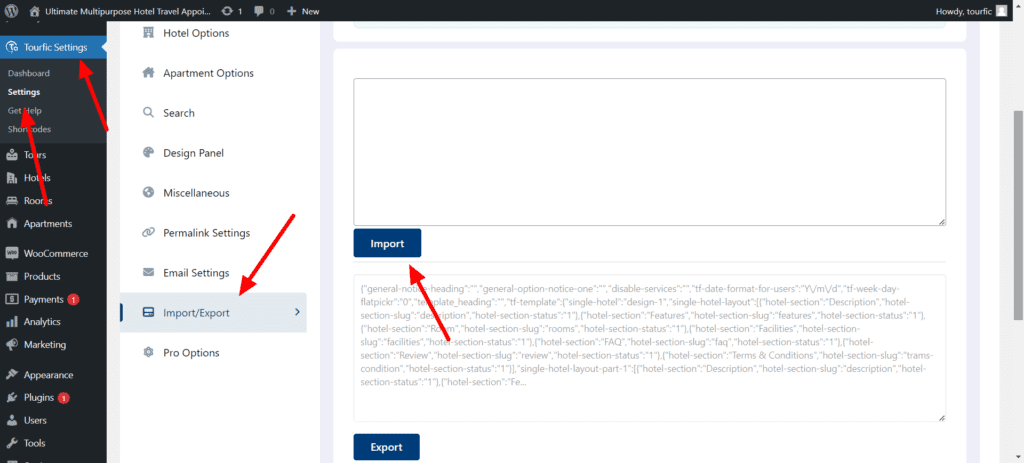
And that’s it. That’s how easy It was to Import the Tourfic Settings with this.
Customize Tourfic Search form Button #
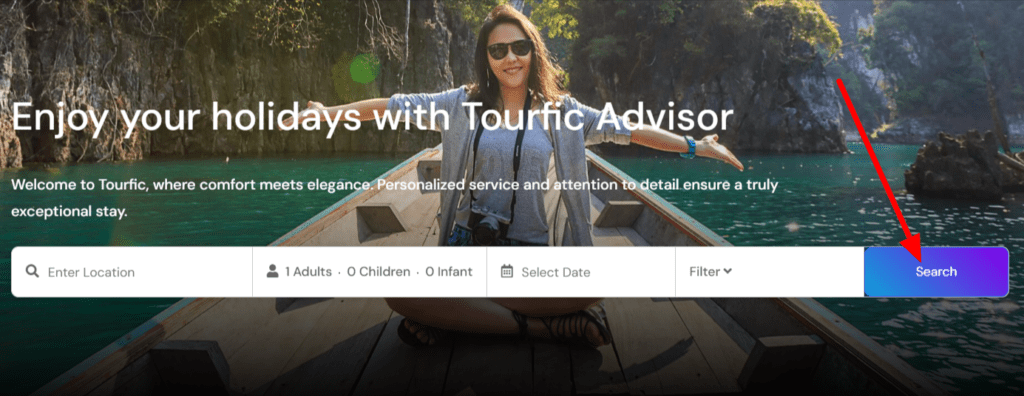
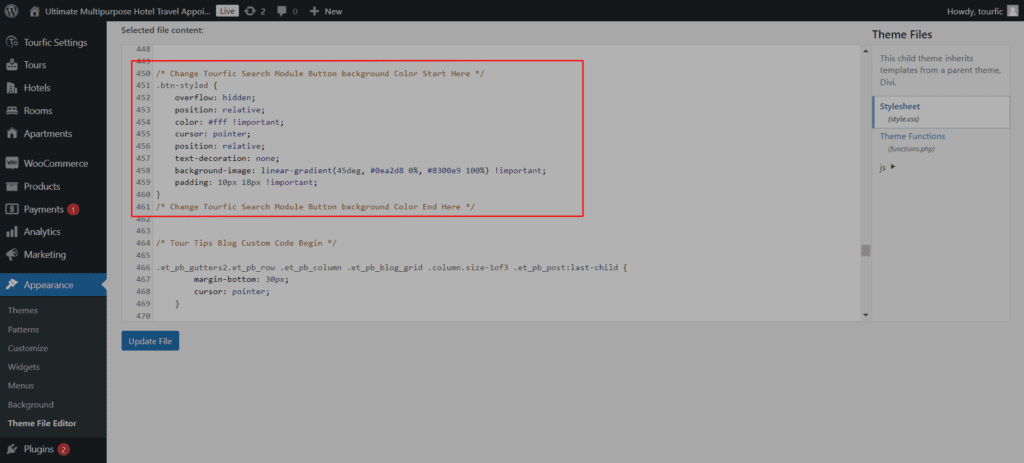
Step 1; WordPress Dashboard > Appearance > Themefile Editor > Choose Stylestyle style.css file, Change the button background according to your needs, & brand
Code Line Start from line 450 to 461
Get Tourfic Premium for More Features #
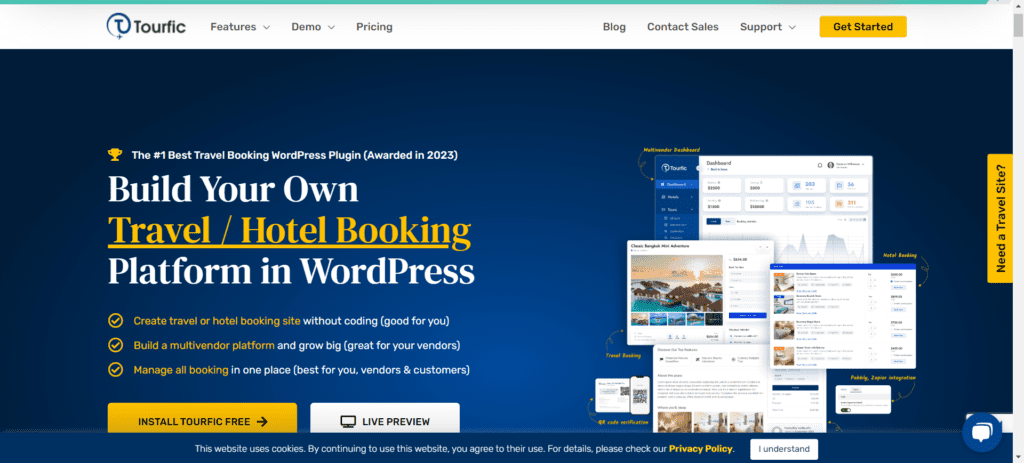
Tourfic Plugin Overview #

With Tourfic, You can:
* Efficiently construct a professional website for your tour operator or travel agency, streamlining your online presence.
* Implement a hotel reservation and room booking system tailored to your hotel’s website, enhancing guest booking experiences.
* Develop a user-friendly apartment booking system, optimizing your website for higher occupancy rates.
* Launch your professional tour operator and travel agency website in just 59 minutes, mirroring the functionality of industry giants like Booking.com, Agoda, Hotels.com, and Airbnb.
* Establish your online tour business and monetize your tours globally through seamless integration with WooCommerce payment solutions.
Tourfic is the premier choice for building an Advanced Travel, Apartment, and Hotel booking website on WordPress. Designed to integrate effortlessly with WooCommerce, this plugin offers a user-intuitive interface and sophisticated pricing function, enabling effective online booking and payment system management.
This Hotel / Tour booking WordPress plugin empowers your customers to create accounts and secure bookings for hotels, apartments, and tour packages directly through your website. With Tourfic, launching a website similar to Booking.com, Agoda, Hotels.com, and Airbnb is possible and straightforward.
As a comprehensive solution for travel booking on WordPress, Tourfic encompasses a broad range of functionalities, from basic to advanced, to meet all the requirements for your next project in the hotel, apartment, and travel sector. Here are some of the noteworthy features of Tourfic:
🎉 WordPress Hotel Booking & Room Management #
- Add Unlimited Hotels
- Add Unlimited Rooms (Up to 5 on Free Version)
- Set room price per Room
- Room Availability Options
- Room Inventory Management
- Photo Gallery
- Add Video on Hotel Gallery
- Features, FAQs, and Terms & Conditions per room
- Dedicated Customer Review System (See the Review section for breakdown)
- Social Sharing Option (Facebook, Pinterest, LinkedIn, Twitter)
- Inquiry / Ask a Question Form
- Wishlist for Hotels
- Dynamic Location Search based on OpenStreetMap
- Per Room Gallery & Features
- Number of Rooms based on the Date (Pro)
- Room price by persons (Adult, Children) (Pro)
- Room Availability by date (Pro)
- Room Pricing Logic (Pro)
- Advanced Room Inventory Management (Pro)
- Advanced / Partial Payment (Pro)
- Dynamic Location Search based Google Maps (Pro)
- Airport Pickup & Dropoff Service (Pro)
- iCal Two Way sync (Booking.com) (Pro)
- Show Hotel Location on Map with Popup (coming soon)
🎉 WordPress Travel Booking & Tour Plan Function #
- Add Unlimited Tours
- Photo Gallery
- Tour Video on Gallery
- Features, FAQs, and Terms & Conditions Sections
- Tour Highlights
- Tour Include/Exclude
- Tour Itinerary
- Set tour as featured
- Tour Price by Persons (Adult, Children, Infant)
- Dedicated Customer Review System (See the Review section for breakdown)
- Wishlist for Tours
- Inquiry / Ask a Question Form
- Different Tour Types (Continuous, Fixed etc)
- Tour Price per Group (Pro)
- Custom Availability (Pro)
- Availability based on Time & Dates (Pro)
- Per day Availability (Pro)
- Advanced / Partial Payment (Pro)
- Sell Tours Extras (Pro)
- Tours booking restrictions (Pro)
- Advanced Itinerary Builder with option to dimply in Google map (Pro)
- Dynamic Location Search based on OpenStreetMap on Option Panel (Coming Soon)
- Dynamic Location Search based on Google Maps on Option Panel (Coming Soon)
Plus, a range of key features make Tourfic the Ultimate Travel Booking WordPress plugin.
🎉 WordPress Apartment Booking & Vacation Rental #
- Add Unlimited Apartment
- Photo Gallery
- Set Apartment as featured
- Location and Dynamic Location Search (OpenStreetMap)
- Apartment Booking Management
- Booking per night pricing, Minimum Night Stay
- Apartment Pricing for Adults, Children, and Infants
- Additional Fee
- Discount Type (Fixed, Percentage)
- Room management
- Highlights, Amenities & House Rules section
- FAQ, Terms & Conditions & Enquiry Section
- Related Apartment
- Dedicated Customer Review System (See the Review section for breakdown)
- Wishlist for Apartment
- Location and Dynamic Location Search (Google Map) (Pro)
- Specific Room Person Management (Pro)
- Specific Room Gallery (Pro)
- Specific Room Type (Pro)
- Property Surroundings (Pro)


